
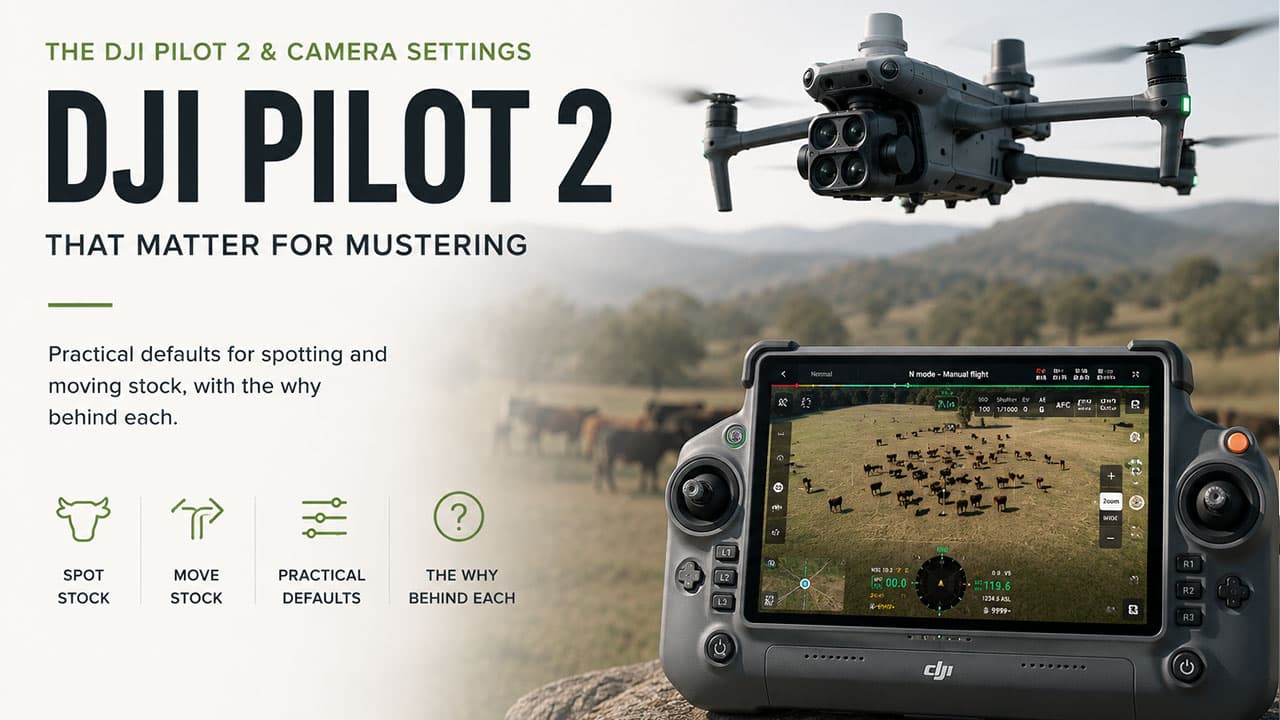
DJI Pilot 2 Setup and Camera Settings for Drone Mustering
Drone mustering pushes aircraft and pilots harder than almost any other type of drone work. You’re flying low, covering large paddocks, tracking moving animals, dealing with dust, heat shimmer, changing light, and maintaining constant situational awareness.
The good news is that DJI Pilot 2 gives enterprise pilots a huge advantage when properly configured — especially on aircraft like the DJI Matrice 4T.
This guide covers the DJI Pilot 2 settings and camera configurations that actually matter for mustering cattle, horses, and livestock in real Australian conditions — with practical defaults and the reasoning behind them.
Best DJI Drone Setup for Mustering
For mustering work, most operators prioritise:
Fast aircraft response
Maximum situational awareness
Long-range visibility
Reliable obstacle avoidance
Smooth camera operation
Fast subject reacquisition
The DJI Matrice 4T is particularly effective because it combines:
Wide camera
Medium tele camera
Thermal imaging
AI-assisted tracking
Omnidirectional obstacle sensing
Strong wind resistance
Those features become extremely valuable when working stock in timbered country, gullies, creek lines, or low-light conditions.
DJI Pilot 2 Settings for Drone Mustering
Flight Mode: Normal Mode (Default)
For most mustering operations:
Use Normal Mode
Avoid Sport Mode unless repositioning long distances
Why?
Normal Mode keeps:
Obstacle avoidance active
Smoother braking
Better camera usability
Safer low-level operation
Sport Mode disables or limits obstacle sensing on many DJI aircraft and increases stopping distance dramatically.
That becomes risky when flying:
Along tree lines
Around yards
Through gullies
Near powerlines
Obstacle Avoidance Settings
Recommended Setting:
Brake Mode
Inside DJI Pilot 2:
Safety → Obstacle Avoidance → Brake
Why?
Brake mode prevents the aircraft from trying to automatically reroute around trees or obstacles.
During mustering:
Predictability matters more than automation
Sudden side movements can spook stock
Auto bypass can place the drone into fences, branches, or terrain
Brake mode gives the pilot full control while still preventing collisions.
Return-to-Home (RTH) Height
Recommended Starting Point:
60–80 metres
Adjust based on terrain and timber.
Why?
Mustering flights are often:
Low level
Long distance
Conducted in uneven country
If signal loss occurs, you want the aircraft to safely clear:
Trees
Windmills
Ridgelines
Power infrastructure
Too low:
Risk collision during RTH
Too high:
Wastes battery
Slows recovery time
DJI Pilot 2 Map Settings
Use Split Screen View
Recommended layout:
Camera feed on one side
Map on the other
Why?
Mustering requires constant awareness of:
Stock movement direction
Terrain
Vehicle locations
Fence lines
Water points
Nearby workers
Pilots relying only on camera view often lose orientation during long pushes.
Camera Settings That Matter for Mustering
Most mustering operators overcomplicate camera settings.
In reality, you want:
Fast exposure response
Clear animal separation
Minimal lag
Good contrast
Reliable zoom transitions
Best Camera Mode for Mustering
Recommended:
Auto Exposure
Why?
Conditions change constantly:
Sun angle
Dust
Shadows
Tree cover
Cloud movement
Manual exposure slows you down and creates unnecessary workload during active livestock movement.
Enterprise drones like the DJI Matrice 4T already manage exposure extremely well for operational flying.
Recommended Camera Resolution
Video:
1080p or 4K at 30fps
Why?
30fps provides:
Better light gathering
Smoother transmission
Lower processing load
Cleaner zoom image
Higher frame rates reduce low-light performance and usually provide little operational advantage during mustering.
Best Zoom Settings for Stock Work
Use the Wide Camera as Default
Use:
Wide camera for movement control
Medium tele for checking distant animals
Thermal only when needed
Why?
Wide view provides:
Better situational awareness
Easier aircraft positioning
Reduced risk of losing stock visually
Pilots who stay zoomed in too long:
Lose terrain awareness
Increase collision risk
Miss split mobs or stragglers
Thermal Settings for Mustering
Thermal becomes extremely valuable during:
Early morning work
Night operations
Locating animals in scrub
Finding calves
Recovering missing stock
Best Thermal Palette for Livestock
Recommended:
White Hot
or
Black Hot
Why?
These provide:
Highest contrast
Fastest animal recognition
Reduced eye fatigue
Avoid overly colourful palettes during operational flying. They look impressive but often reduce detail recognition speed.
Thermal Gain Settings
Recommended:
High Gain
Why?
High gain improves:
Heat separation
Animal visibility
Detection in cool conditions
Low gain works better in extreme heat but usually reduces livestock definition.
Gimbal Speed Settings
Recommended:
Slow to Medium
Inside DJI Pilot 2:
Reduce gimbal sensitivity slightly
Why?
Fast gimbal movement:
Makes tracking harder
Causes overshooting
Creates jerky footage
Increases pilot fatigue
Smoother gimbal control improves:
Animal tracking
Situational awareness
Telephoto usability
Battery Management for Mustering
Mustering flights are demanding because pilots often:
Fly low
Accelerate aggressively
Hover frequently
Fight wind
Recommended Landing Reserve:
25–30%
Why?
Remote rural operations leave less margin for error.
Wind changes, stock movement, and long retrieval distances can quickly become dangerous when batteries get too low.
Transmission Settings
Recommended:
Auto Channel Mode
Why?
Rural environments are usually RF-clean, but:
Machinery
Repeaters
Starlink systems
UHF infrastructure
can still create interference.
Auto mode generally performs best unless interference becomes consistent.
Recommended DJI Pilot 2 Workflow for Mustering
Before Takeoff
Check:
Compass health
Satellite count
RTH altitude
Obstacle avoidance mode
Battery temperature
Wind conditions
During Flight
Use:
Wide camera for movement
Tele for identification
Thermal for recovery or scrub work
Maintain:
Visual line of sight
Predictable movement
Safe standoff from stock
After Flight
Review:
Battery temperatures
Flight logs
Propeller condition
Dust contamination
Motor heat
Dust and grass seed buildup are major issues during repeated mustering operations.
Common Drone Mustering Mistakes
Flying Too Low
Low flight creates:
More stock stress
Dust ingestion
Collision risk
Reduced visibility
Higher positioning often moves stock more effectively.
Staying Zoomed In Too Long
Pilots lose:
Terrain awareness
Obstacle awareness
Animal movement context
Use zoom briefly, not continuously.
Overusing Thermal During Daylight
Thermal is excellent for detection but poor for detailed movement control in hot daytime conditions.
Use RGB cameras as primary during daylight mustering.
Final Thoughts
The best mustering setup is not about cinematic footage or complicated settings.
It’s about:
Reliable aircraft behaviour
Fast situational awareness
Predictable handling
Clear animal visibility
Reduced pilot workload
The DJI Matrice 4T combined with DJI Pilot 2 gives operators an incredibly capable platform for modern livestock operations — especially when configured with practical, field-proven settings instead of default factory assumptions.
Simple, repeatable settings almost always outperform over-tuned configurations in real mustering environments.
Featured in this guide

Was this article helpful?
Your feedback helps us improve our documentation