
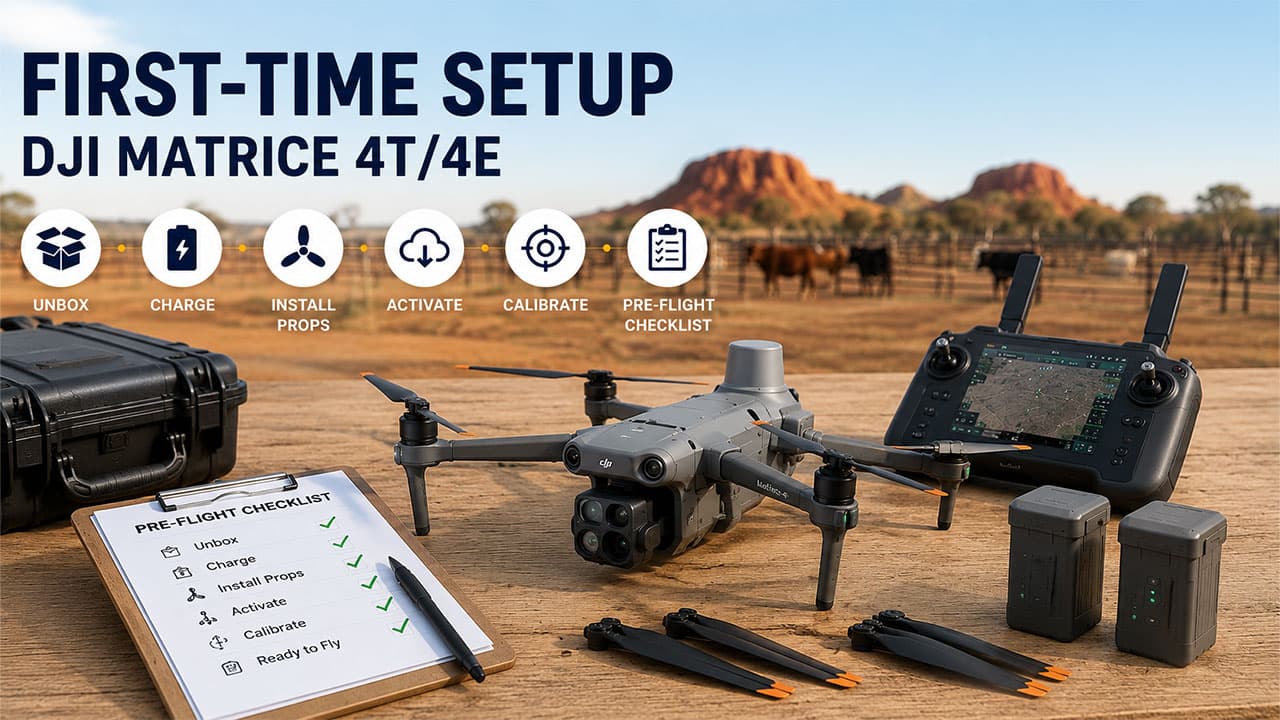
The DJI Matrice 4 Series is DJI’s latest enterprise drone platform designed for inspection, mapping, public safety, search and rescue, and industrial operations. Whether you’re flying the Matrice 4T thermal model or the Matrice 4E mapping variant, completing a proper first-time setup is essential for safe and reliable operations.
This step-by-step guide covers everything you need to do before your first flight, including aircraft activation, firmware updates, propeller installation, DJI Pilot 2 setup, and important pre-flight safety checks.
Estimated setup time: 45–60 minutes.
Before You Begin
Before setting up your Matrice 4 Series aircraft, ensure you have:
A stable internet connection
A DJI account
A fully charged mobile hotspot or Wi-Fi connection
A clear outdoor setup area
DJI Pilot 2 installed on the controller
Sufficient time to complete activation and updates
Recommended Before First Flight
Register your drone if required by local aviation authorities
Review local airspace rules
Ensure Remote ID requirements are met where applicable
Prepare a safe open area for calibration and test flight
For Australian operators, check CASA requirements before flying commercially or recreationally.
Which Matrice 4 Model Do You Have?
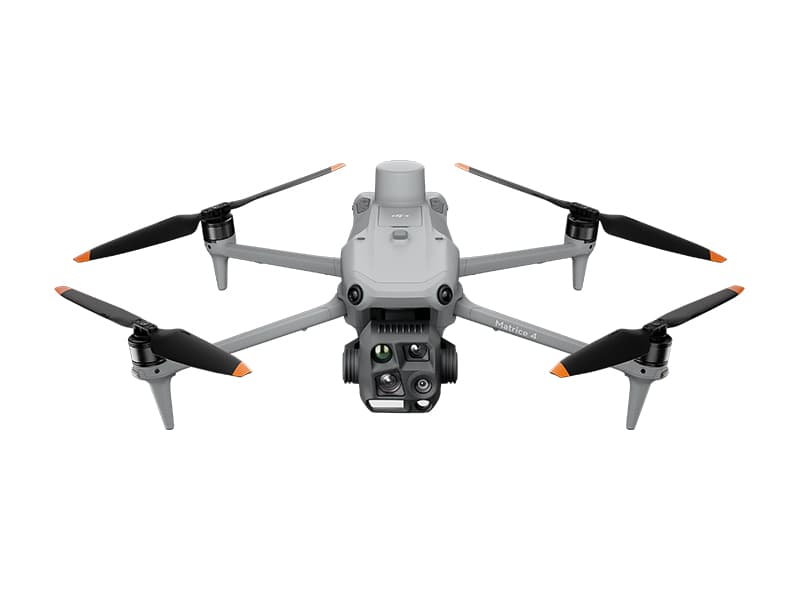
The Matrice 4 Series includes multiple variants designed for different industries.
Matrice 4T
Best suited for:
Thermal inspections
Search and rescue
Public safety
Firefighting operations
Night operations
Features include:
Thermal imaging camera
Multi-sensor payload
Zoom capabilities
Matrice 4E
Designed primarily for:
Mapping
Surveying
Construction
Asset inspection
Orthomosaic capture
Features include:
High-precision mapping camera
RTK positioning support
Survey-grade workflows
The setup process is largely identical for both models.
Step 1 – Unboxing and Inspection
Carefully unpack the aircraft and confirm all components are present.
Typical Package Contents
DJI Matrice 4 aircraft
Remote controller
Intelligent Flight Batteries
Charging hub
Propellers
USB-C cables
Carrying case
Documentation
Inspect Before Powering On
Check for:
Cracks or transport damage
Loose gimbal components
Bent propellers
Damaged motor arms
Dirty battery terminals
Obstructed vision sensors
Remove the gimbal protector before powering on the aircraft.
Step 2 – Charge the Batteries
All DJI batteries ship in hibernation mode and must be charged before first use.
Aircraft Batteries
Connect the charging hub to mains power
Insert the Intelligent Flight Batteries
Verify charging indicators illuminate
Wait until batteries are fully charged
Charging time varies depending on charger type and battery level.
Remote Controller
Connect the controller via USB-C
Use an approved high-output USB-C charger
Allow the controller to fully charge before setup
Battery Safety Tips
Use official DJI charging equipment where possible
Avoid charging immediately after flight while batteries are hot
Never leave charging batteries unattended
Store batteries at partial charge when not in use long-term
Step 3 – Install the Propellers
The Matrice 4 Series uses matched propeller sets.
Propeller Installation
Unfold all aircraft arms completely
Match each propeller to its corresponding motor marking
Press the propeller down and rotate until locked
Confirm each propeller is secure before flight
Always verify:
No cracks or chips
Proper locking
Correct orientation
No excessive movement
Incorrect propeller installation can result in instability or loss of control.
Step 4 – Power On the Aircraft
Recommended Power-On Sequence
Power on the remote controller first
Power on the aircraft second
Wait for automatic connection
Most Matrice 4 systems arrive pre-linked from factory.
If the aircraft does not connect automatically:
Open DJI Pilot 2
Navigate to controller settings
Use the linking function to pair the aircraft
Step 5 – Activate the Aircraft
New DJI enterprise aircraft require online activation before first flight.
Activation Process
Connect the controller to the internet
Launch DJI Pilot 2
Sign into your DJI account
Follow the activation prompts
Confirm aircraft registration details
Wait for activation confirmation
The aircraft cannot fly until activation is complete.
During Activation
The aircraft may:
Bind to your DJI account
Enable warranty tracking
Register for FlightHub 2 integration
Enable firmware update access
Step 6 – Update Firmware
Firmware updates are strongly recommended before first flight.
Update the Following Components
Aircraft firmware
Remote controller firmware
Battery firmware
Payload firmware
Best Practices for Firmware Updates
Ensure all batteries are above 50%
Maintain stable internet access
Do not power off during updates
Update all batteries individually by inserting each battery pair
Avoid performing updates in the field before operations
Important
Firmware updates may reboot the aircraft and controller multiple times during installation.
Step 7 – Configure DJI Pilot 2
Before flying, configure essential operational settings.
Recommended First-Flight Settings
Set Return-to-Home (RTH) Altitude
Choose an altitude high enough to clear nearby obstacles.
Confirm Home Point
Verify the correct GPS home point has been recorded.
Enable Obstacle Avoidance
Keep obstacle sensing enabled during early flights.
Verify GNSS Signal
Wait for strong satellite lock before takeoff.
Configure Maximum Altitude
Follow local aviation laws. In Australia, standard operations are limited to 120m AGL.
Format the microSD Card
Format storage media in-camera before operations.
Step 8 – Optional Sensor Calibration
Most Matrice 4 aircraft arrive factory calibrated.
Calibration is generally only required:
After long-distance transport
Following major firmware updates
If prompted by DJI Pilot 2
After crashes or hard landings
If abnormal flight behaviour occurs
Compass Calibration
Perform outdoors away from:
Vehicles
Steel structures
Reinforced concrete
High-voltage power lines
IMU Calibration
Perform on:
A perfectly level surface
Stable ground
Room-temperature aircraft
Avoid unnecessary compass calibrations, especially in areas with magnetic interference.
Step 9 – Complete a Pre-Flight Checklist
Before every flight, verify the following.
Aircraft Checks
Batteries fully seated
Arms unfolded and locked
Propellers secure
Gimbal protector removed
Vision sensors clean
SD card installed
Controller Checks
Battery charged
Antennas correctly positioned
Strong signal connection
DJI Pilot 2 functioning correctly
Environment Checks
Safe weather conditions
Low wind
Clear takeoff zone
Legal airspace
Minimal RF interference
Step 10 – Your First Flight
Choose a wide open area free from obstacles.
Recommended First Flight Procedure
Take off to 3–5 metres
Hover and verify stability
Test slow directional movement
Verify obstacle sensing
Test Return-to-Home
Perform a controlled landing
During Early Flights
Focus on:
Aircraft responsiveness
GNSS stability
Battery performance
Video transmission quality
Sensor warnings
Common First-Time Setup Problems
Aircraft Won’t Activate
Possible causes:
No internet connection
DJI account login issues
Firmware mismatch
Controller Won’t Connect
Try:
Re-linking the controller
Restarting both devices
Updating firmware
Compass Errors
Move away from:
Vehicles
Metal surfaces
Power infrastructure
Firmware Update Fails
Restart both devices
Try another internet connection
Ensure sufficient battery levels
Recommended Enterprise Workflow
Professional operators should also configure:
DJI FlightHub 2
RTK or NTRIP corrections
Livestreaming settings
Pilot profiles
Geofencing preferences
Maintenance logs
Mission templates
Establishing workflows early improves operational consistency and fleet management.
Final Safety Reminders
Before every operation:
Maintain visual line of sight (VLOS)
Monitor weather conditions
Keep batteries properly maintained
Confirm legal airspace access
Inspect the aircraft before launch
Enterprise aircraft are powerful tools, but safe operation always starts with proper preparation.
Frequently Asked Questions
Does the DJI Matrice 4 require activation?
Yes. Activation through DJI Pilot 2 and a DJI account is required before first flight.
Can the Matrice 4 fly without RTK?
Yes. RTK improves positioning accuracy but is not required for standard flight operations.
What app does the Matrice 4 use?
The aircraft uses DJI Pilot 2.
Should I calibrate the compass before every flight?
No. Only calibrate when prompted or after significant environmental or operational changes.
How long does setup take?
Most users can complete setup, activation, and firmware updates in under one hour.
Explore the full DJI Matrice 4 Series → — compare the Matrice 4T, 4E and 4TD, see pricing and request a quote.
Featured in this guide
Was this article helpful?
Your feedback helps us improve our documentation